
Shop
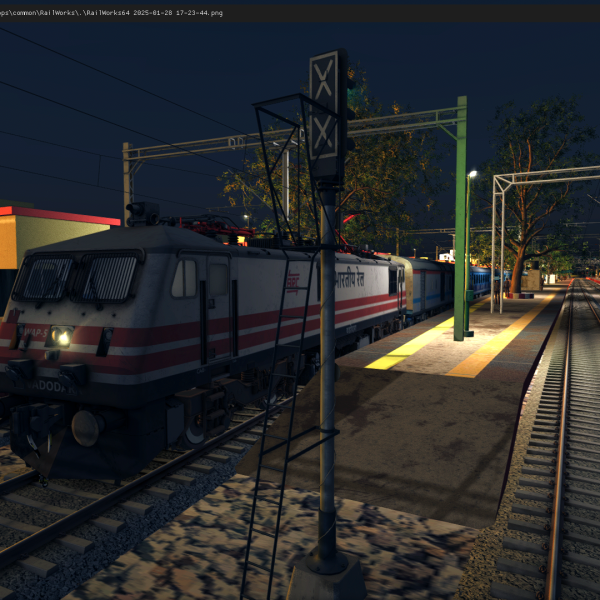
12002 Rani kamlapati Shatabdi Express Premium Scenario For NR-NCR Delhi-Agra Route
Login to see prices12002 Rani kamlapati Shatabdi Express
12002 Rani Kamlapati Shatabdi Express Premium Scenarios For NR V1
SCENARIO NAME : 12002 Rani Kamlapati Shatabdi Express For NR V1
DESTINATION : New Delhi To Mathura
LUA SCRIPT : No
GUARD VOICE : No
CUSTOM ANNOUNCEMENT : No
VENDORS SOUND :No
DURATION : 70
ADDONE : FLG + MIB + AK
Scenario makers: Infinity Gaming
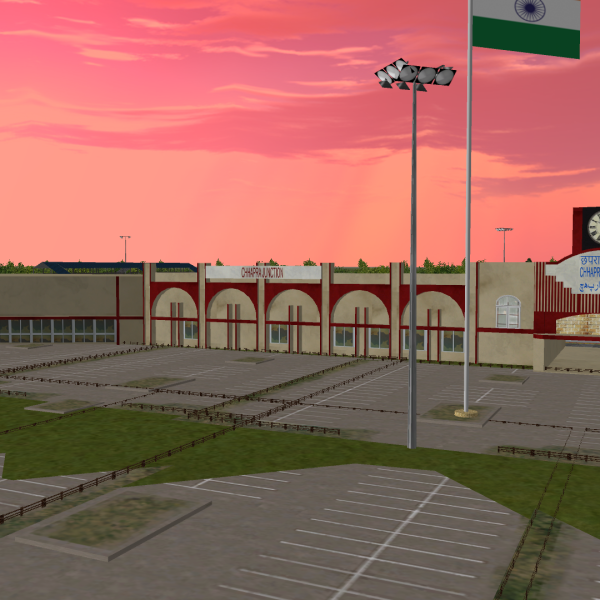
PURVANCHAL ROUTE MINI
Login to see pricesPURVANCHAL ROUTE MINI
PURVANCHAL ROUTE MINI: A Mini Version of Purvanchal Route, consists 300 KM length.
ROUTE DETAILS:
- GORAKHPUR JN-BHATNI JN-SIWAN JN-CHHAPRA JN
- BHATNI JN-MAU JN
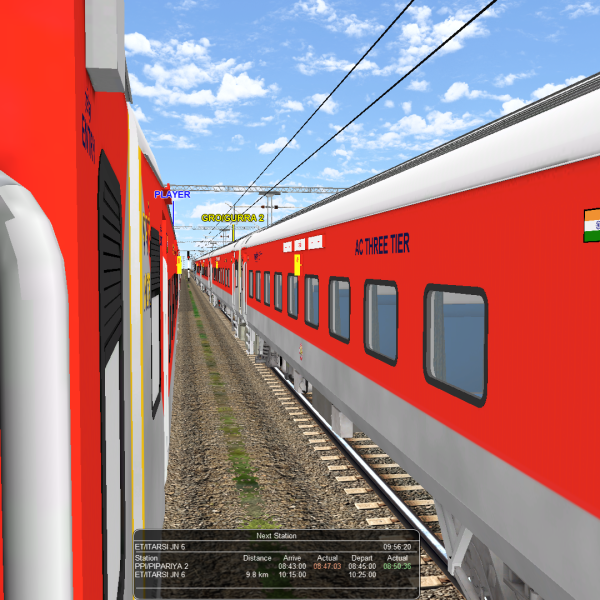
AJ LHB V.4
Login to see pricesMy sound is very hd and high qulity sounds and very realstic sound provide by AJ production
Note:- after Sound purchase plese dm now-8108326423
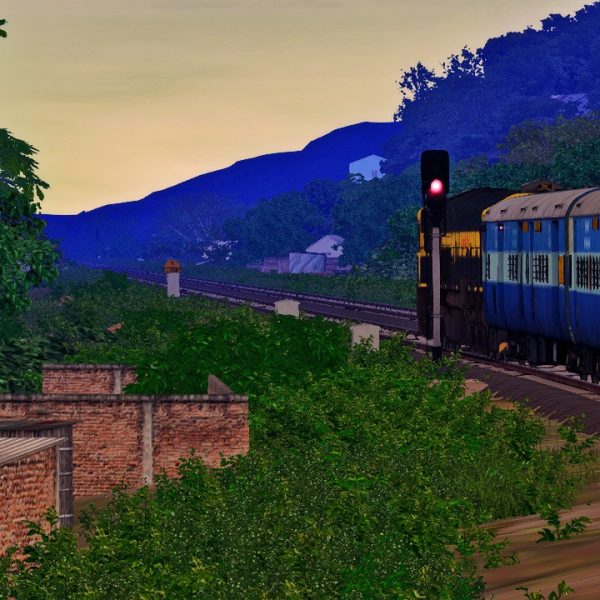
AKtrains ICF Track Sound
Login to see pricesAKtrains ICF Track Sound By atulojha281
Installation Instruction:
To install the AKtrains ICF Track Sound .rwp file in Train Simulator (Railworks), follow these five simple steps:
Step 1: Download the .rwp File
– Locate and download the AKtrains ICF Track Sound .rwp file from a trusted source. Save it to a convenient location, such as your Desktop or a dedicated folder.
Step 2: Open Utilities.exe
– Navigate to your Train Simulator installation folder, typically found at `C:Program Files (x86)SteamsteamappscommonRailWorks`.
– Launch Utilities.exe by double-clicking on it. This tool is essential for managing and installing add-ons.
Step 3: Access Package Manager
– In the Utilities window, click on “Package Manager.”
– Once in the Package Manager, press the “Refresh” button to ensure all available packages are loaded.
Step 4: Install the .rwp File
– After refreshing, click on “Install.”
– A file browser will open; navigate to and select the downloaded AKtrains ICF Track Sound .rwp file.
– Click “Open” and wait for the installation process to complete.
Step 5: Close Utilities and Launch the Game
– Once installation is finished, close Utilities.exe.
– Start Train Simulator to enjoy your newly installed track sound enhancements.
Following these steps will ensure that you successfully install your .rwp file and enhance your Train Simulator experience with AKtrains ICF Track Sound.
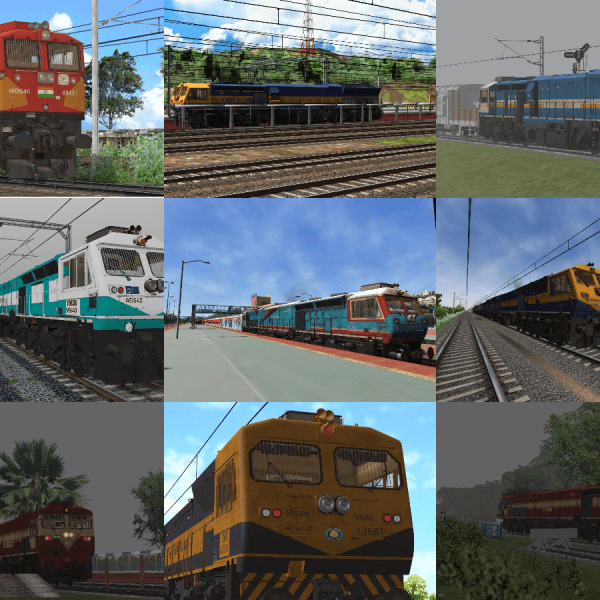
TVP COMBO SET PACK
Login to see pricesTVP COMBO SET PACK
☆ INCLUDES ☆ ♤
WDP4D – 7-8 LOCOS.
WDG4G – 3 LOCOS.
WDG4D – 27 LOCOS.
WDG4 – 25 LOCOS.
OG CAB – 6 LOCOS.
ANIMATIONS.
1) DOORS
2) WIPERS
3) HEADLAMPS / FLASHER / CABLIGHTS
4) CABIN CONTROLS.
5) SIGNAL EXCHANGE.
6) 3D CAB. PRE BOOK NOW.
FOR ACCESS AFTER PURCHASE / FOR MORE INFO CONTACT / WHATSAPP +91-9021934776 +91-9921499947 EMAIL – veersaproductions@gmail.com
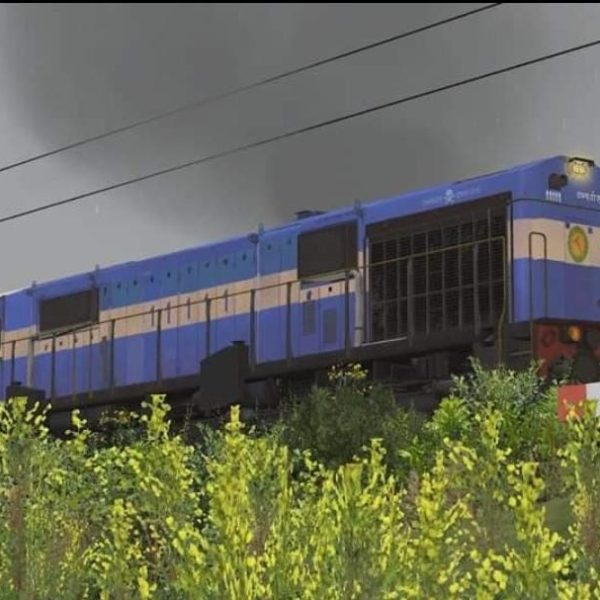
THE TEAM VEERSA PRODUCTIONS WDM3D ALCO SET 2
Login to see pricesTHE TEAM VEERSA PRODUCTIONS WDM3D ALCO SET 2
TVP WDM3D ALCO SET 1 FOR MSTS / OPEN RAILS. FOR SUPERB LOOK IN MSTS .
3D CAB ,
3D DESIGN .
REQUIRES SET 1 FOR DEPENDENCIES. ( KINDLY PURCHASE PACK 1 FIRST ).
INCLUDES.
ERODE LAVENDER LIVERY WDM3D.
HOWRAH ORANGE LIVERY
WDM3D PUNE ORANGE LIVERY
WDM3D AFTER PURCHASE KINDLY PING US ON WHATSAPP FOR THE LINKS ALONG WITH YOUR MAIL ID & ORDER ID. CONTACT – +91-9021934776. WHATSAPP – +91-9921499947. MAIL ID – veersaproductions@gmail.com
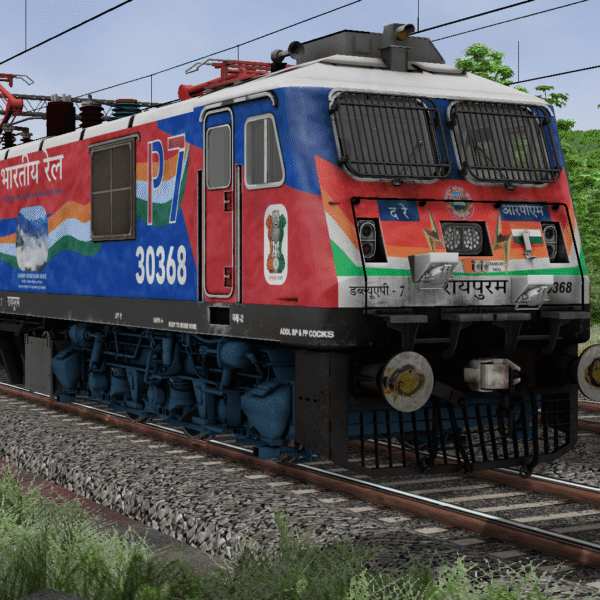
MIB WAP7 RPM 30368 76th REPUBLIC DAY
Login to see pricesMIB WAP7 RPM 30368 76th REPUBLIC DAY
🔹 *Animations*:
Doors
Wipers
headlight / Taillight / Cablights
Cabin Controls
Signal Exchange
HRPT Pantograph
🔹 *3D Cab Loco* with 3D Cab & High Quality Sounds
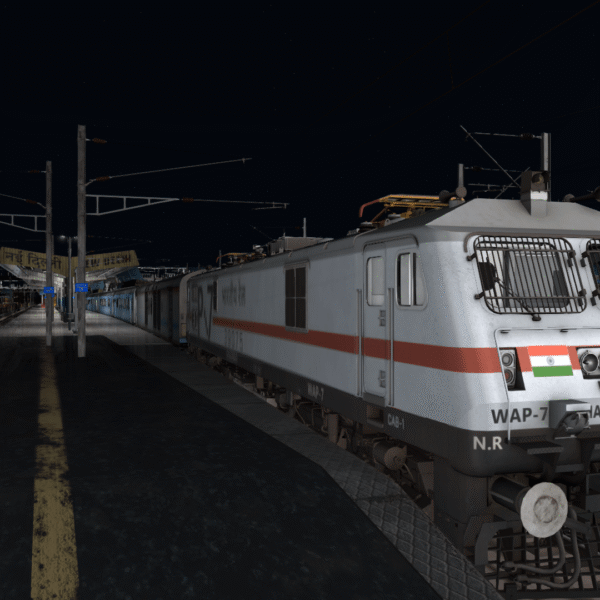
12004 New Delhi – Lucknow Swarn Shatabdi Express Premium Scenario For NCR V1 Prashant Route
Login to see prices12004 New Delhi – Lucknow Swarn Shatabdi Express Premium Scenario For NCR V1 Prashant Route
Premium Scenario of 12004 New Delhi – Lucknow Swarn Shatabdi Express Premium Scenario For NCR V1 Prashant Route [PART 1]
DESTINATION : New Delhi to Ghaziabad Junction [PART 1]
LUA SCRIPT : yes
GUARD VOICE : yes
CUSTOM ANNOUNCEMENT : yes
VENDORS SOUND :yes
DURATION : 24 Mins
ADDONS : FLG (Wap7, wag9, wdp4d, wag7, WDM3D), IndoSimWorld (Freight Pack), AK Trains LHB, Reworks (WAG12, WAG5, ICF), MIB (VB)
Scenario makers: Infinity Gaming
MIB WAP7 CNB Livery Pack
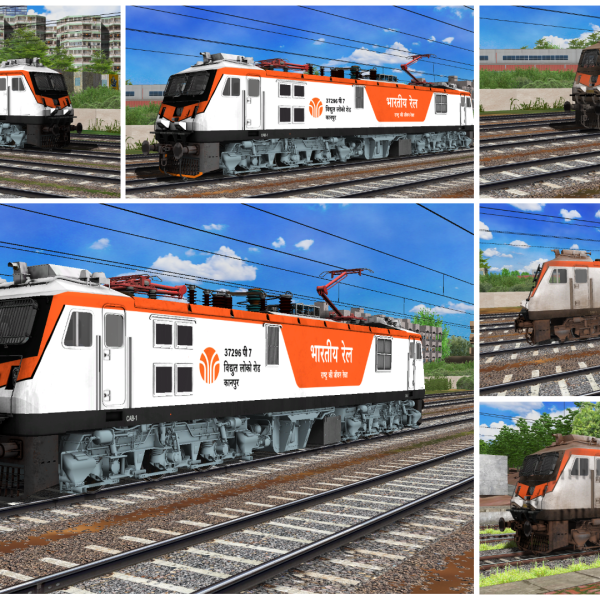
Login to see pricesMIB WAP7 CNB Livery Pack
This Pack Included
- WAP7_CNB_37296
- WAP7_CNB_37296_DIRT
🔹 *Animations*:
Doors
Wipers
headlight / Taillight / Cablights
Cabin Controls
Signal Exchange
High Rise Pantograph
🔹 *3D Cab Loco* with 3D Cab & High Quality Sounds
MIB VSKP WAP7 Tricolor Livery Pack
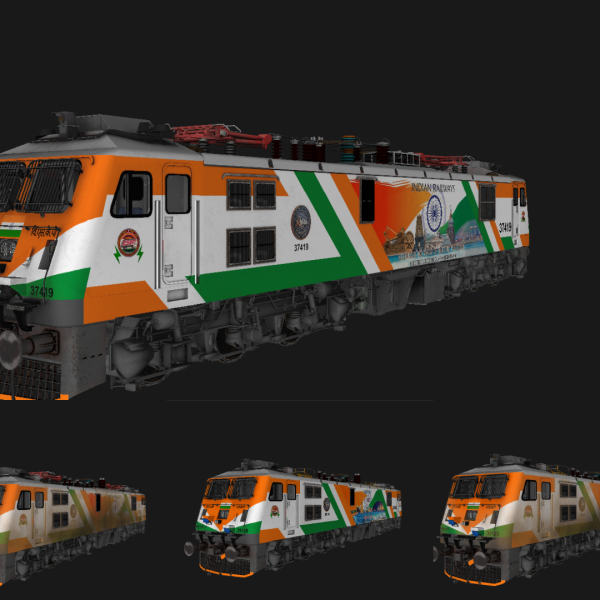
Login to see pricesMIB VSKP WAP7 Tricolor Livery Pack
This Pack Included
- WAP7_VSKP_37419_dirt_HRPT
- WAP7_VSKP_37419_HRPT
- WAP7_VSKP_39145_dirt
- WAP7_VSKP_39145
🔹 *Animations*:
Doors
Wipers
headlight / Taillight / Cablights
Cabin Controls
Signal Exchange
High Rise and Normal Pantograph
🔹 *3D Cab Loco* with 3D Cab & High Quality Sounds
MIB_KJM_WAG-9HC_41599 For MSTS
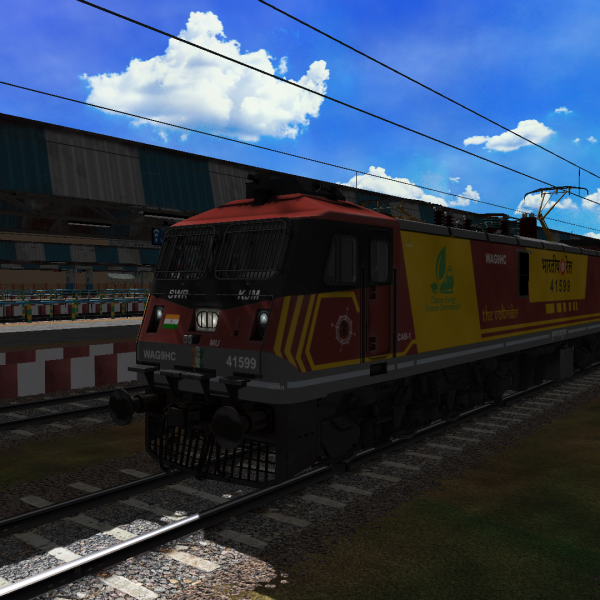
Login to see pricesMIB_KJM_WAG-9HC_41599 For MSTS
🔹 *Animations*:
Doors
Wipers
headlight / Taillight / Cablights
Cabin Controls
Signal Exchange
🔹 *3D Cab Loco* with 3D Cab & High Quality Sounds
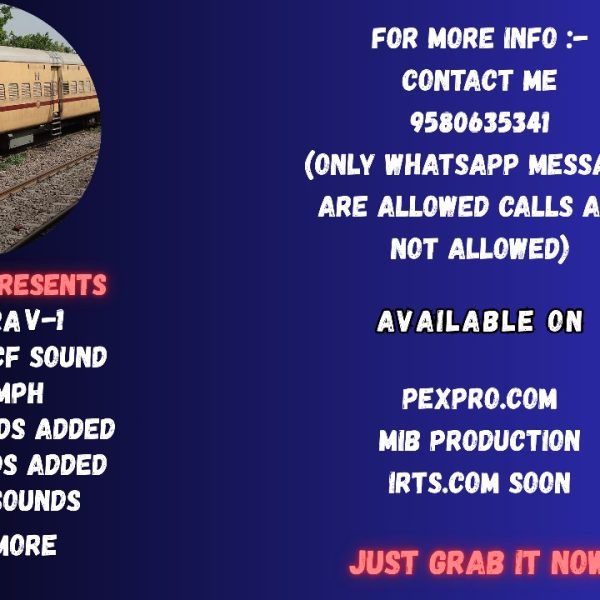
ICF V-1 (Track Sound)
Login to see pricesICF V-1 (Track Sound)
Ultra Realastic Track Sounds Recorded By Ludhwani Gaming
ICF ERA
FEATURES
– NEW BRAKE SOUNDS ADDED
-FLANGE SOUNDS ADDED
-(0-120 KMPH SPEED)
-AC WHINE SOUNDS ADDED
& MANY MORE

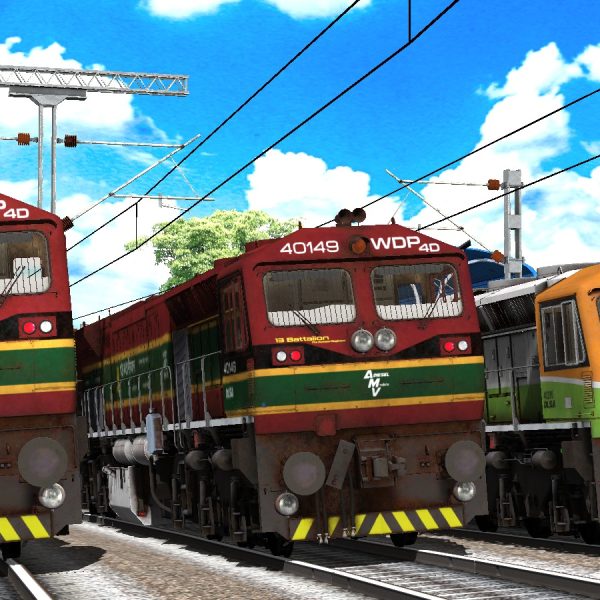
TVP’S SPECIAL LIVERIES WDP4D SET PACK FOR MEGA PREMIUM MEMBERSHIP MEMBERS
Login to see pricesTVP’S SPECIAL LIVERIES WDP4D SET PACK FOR MEGA PREMIUM MEMBERSHIP MEMBERS.
FOR MSTS / OPEN RAILS.
×××××××××××××××××××××
SET PACK CONTENTS.
1) 13 BATTALION KUMAON REGIMENT.
2) MAJOR SHAITAN SINGH.
3) CHHATRAPATI SHIVAJI MAHARAJ LIVERY.
NOTE – 130 KMPH FIT LOCOMOTIVES. SINGLE LOCO + 20-25 COACHES COMPATIBLE FOR 130+ KMPH SMOOTH RUN. CAN BE USED WITH TVPRO, BGPRO, VGPRO, SGPRO, BRWPRO. HEIGHT AND LENGTH ALSO COMPATIBLE.
×××××××××××××××××××××
FILE INCLUDES.
1) 3D CAB WITH ANIMATIONS.
2) HIGH QUALITY TEXTURES.
3) HIGH QUALITY SOUNDS.
×××××××××××××××××××××
FOR MORE INFO KINDLY DM/CONTACT US.
+91-9021934776
+91-9921499947
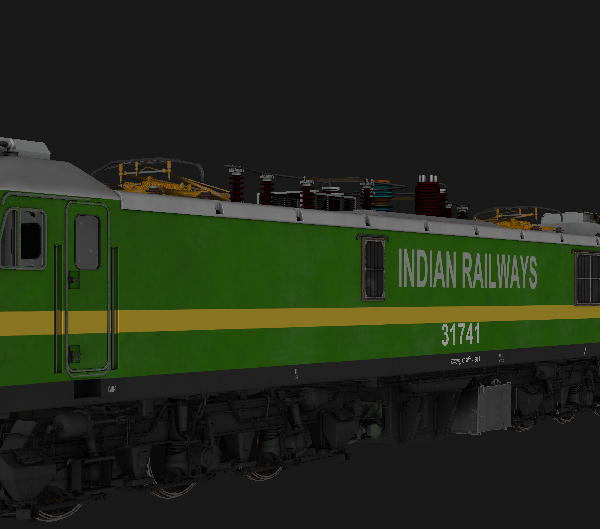
MIB_WAG9_LDH_31741 For MSTS
Login to see pricesMIB_WAG9_LDH_31741 For MSTS
🔹 *Animations*:
Doors
Wipers
headlight / Taillight / Cablights
Cabin Controls
Signal Exchange
*3D Cab Loco* with 3D Cab & High Quality Sounds
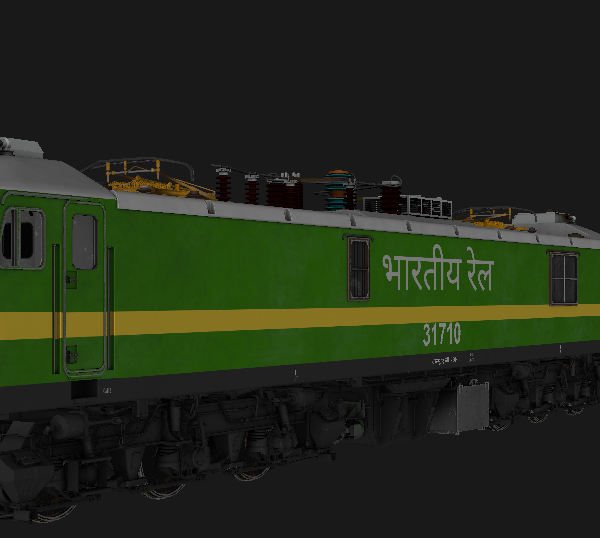
MIB_WAG9_BIA_31710 For MSTS
Login to see pricesMIB_WAG9_BIA_31710 For MSTS
🔹 *Animations*:
Doors
Wipers
headlight / Taillight / Cablights
Cabin Controls
Signal Exchange
*3D Cab Loco* with 3D Cab & High Quality Sounds
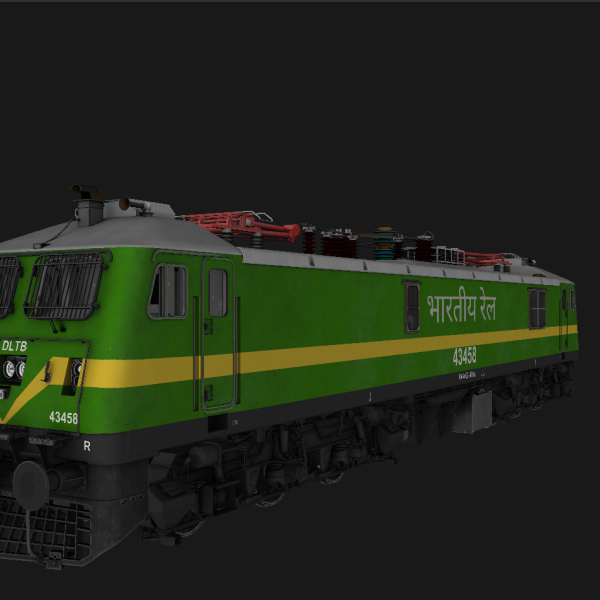
MIB_WAG9_DLTB Pack TrueHR For MSTS
Login to see pricesMIB_WAG9_DLTB Pack TrueHR For MSTS
This Include
- MIB_WAG9_DLTB_33799 with High Rise pantograph
- MIB_WAG9_DLTB_43458 with High Rise pantograph
🔹 *Animations*:
Doors
Wipers
headlight / Taillight / Cablights
Cabin Controls
Signal Exchange
🔹 *3D Cab Loco* with 3D Cab & High Quality Sounds
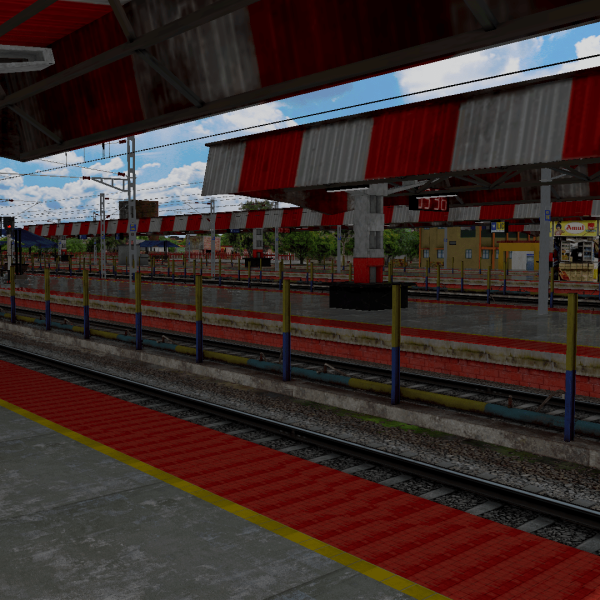
PURV MADHYA RAILWAY (PNBE-GAYA, PNBE-BKP) Update
Login to see pricesPURV MADHYA RAILWAY (PNBE-GAYA, PNBE-BKP) Update
1. Pt. DEEN DAYAL UPADHYAY Jn. – VARANASI Jn.
2. ARA Jn. – SASARAM Jn.
3. BAKHTIYARPUR Jn.- HATIDAH Jn.
4. FATUHA Jn. – ISLAMPUR Jn.
5. BAKHTIYARPUR Jn. – RAJGIR
- Hello …….. Welcome to Purv Madhya Railway (ECR). : Route is based on the East central section of Indian Railways. : Route covers a total distance of 450+ km and is Real distance & DEM Based. : Section covered inside the route is (Deen Dayal Upadhyaya Jn to Rajendra Nagar T.). : Target of this route is to cover the whole (ECR). : Route would be further extended till DHANBAD (DHN) via GAYA, NSB GOMOH. : Some major stations covered under the route are 1- Danapur Jn 2- Bihta 3- Ara Jn 4- Bihiya 5- Dumraon 6- Buxar 7- Gahmar (largest village of Asia) 8- Dildarnagar Jn 9- Jehanabad 10- Punpun: Main route attraction – -Koelawar Bridge (161-year-old bridge) -Patliputra Curve from Danapur and Phulwari Sharif.
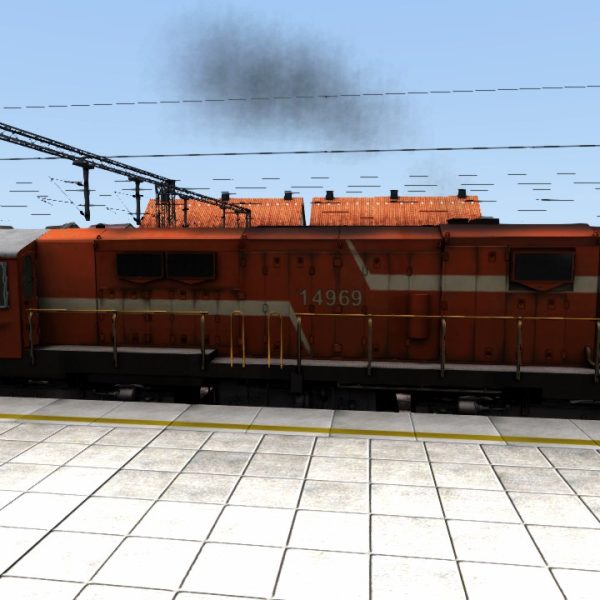
AK TRAINS WDG3A SOUND
Login to see pricesAK TRAINS WDG3A SOUND
Include:-
- Horn sound
- bell Sound
To install the AK TRAINS WDG3A SOUND .rwp file in Train Simulator (Railworks), follow these five straightforward steps:
Installation Instructions
Step 1: Download the .rwp File
– Locate and download the AK TRAINS WDG3A SOUND .rwp file from a trusted source. Save it to a convenient location, such as your Desktop or a dedicated folder.
Step 2: Open Utilities.exe
– Navigate to your Train Simulator installation folder, typically found at `C:Program Files (x86)SteamsteamappscommonRailWorks`.
– Launch Utilities.exe by double-clicking on it. This tool is essential for managing and installing add-ons.
Step 3: Access Package Manager
– In the Utilities window, click on Package Manager.
– Once in the Package Manager, press the Refresh button to ensure all available packages are loaded.
Step 4: Install the .rwp File
– After refreshing, click on Install.
– A file browser will open; navigate to and select the downloaded AK TRAINS WDG3A SOUND .rwp file.
– Click Open and wait for the installation process to complete.
Step 5: Close Utilities and Launch the Game
– Once installation is finished, close Utilities.exe.
– Start Train Simulator to enjoy your newly installed sound enhancements.
By following these steps, you will successfully install the AK TRAINS WDG3A SOUND .rwp file and enhance your Train Simulator experience with authentic locomotive sounds.